
How do I edit my shopping cart?

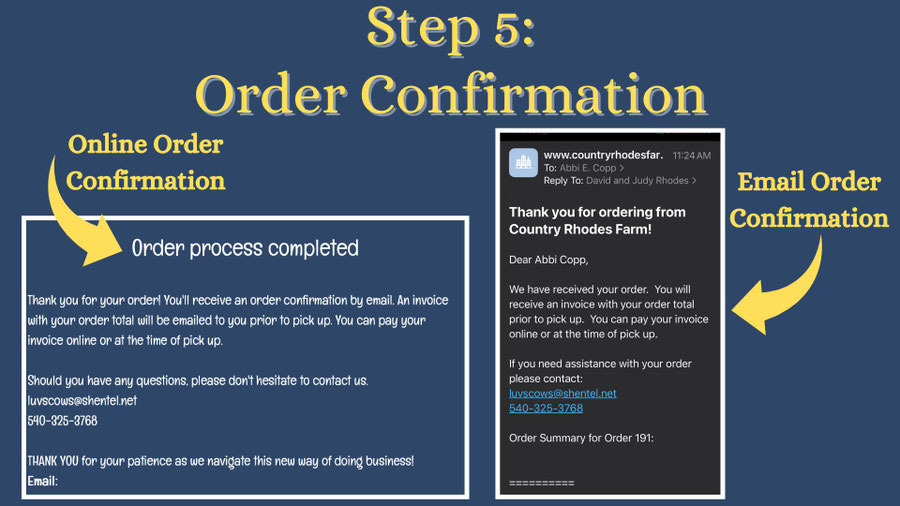
How do I know my order is confirmed?
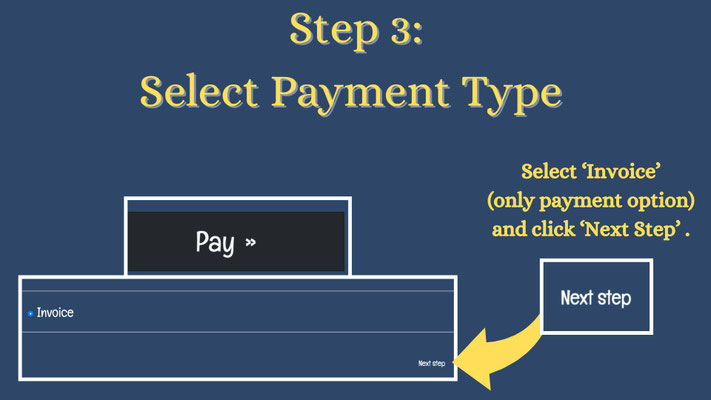
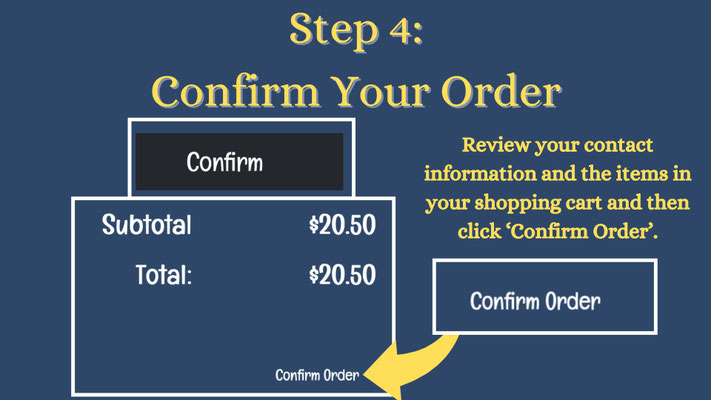
Order confirmation is a 4 step process. Follow the guide below to make sure your order is confirmed!


How should I use the notes/comment section?
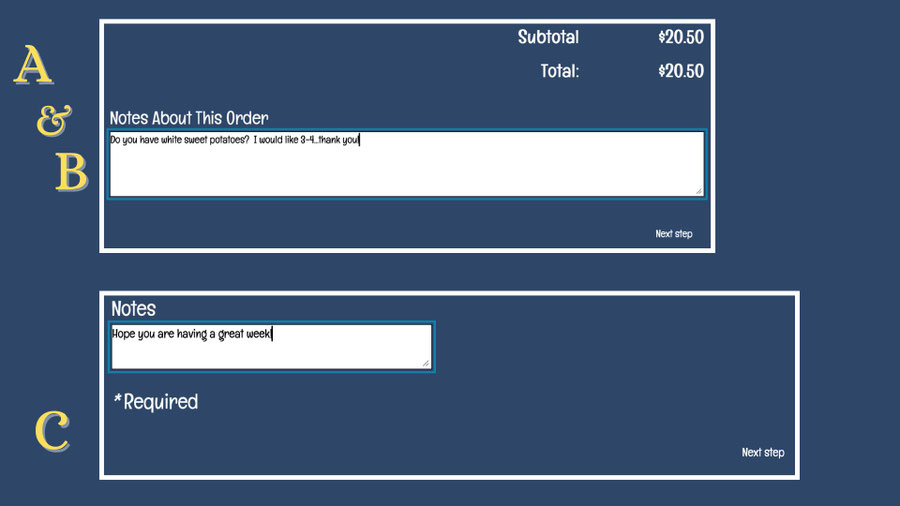
The 'Notes About This Order' section in your shopping cart can be used in several different ways.
A. If you have ordered produce, leave Judy a note with the quantity of items you would like to purchase (i.e. apples - 2 or 3).
B. You can inquire if items are available if you don't see them listed in the store.
C. You can leave Judy a funny joke or a note!
I chose an item but it didn't show up in my shopping cart...what went wrong?

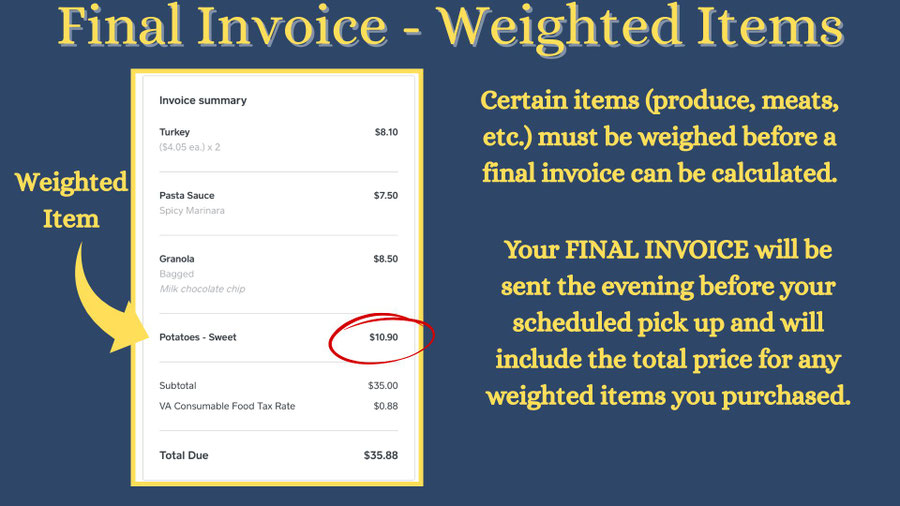
I ordered items that need to be weighed. What is my final invoice total?
I won't be able to pick up my order during the pick up window...what should I do?
If you won't be able to pick up your order during the pick up window...CALL JUDY! She will be able to work with you to arrange a time to pick up your order.
What does the 'spinny wheel' mean when I'm trying to check out?

You may get the 'spinny wheel' when you are adding items to your shopping cart or trying to check out. If this happens, it could mean a poor internet connection. You can refresh your webpage or click the back arrow button to try again.
When will I receive my invoice?
You will receive your invoice the evening before your pick up date.